

The sales rep knows what they can sell before walking through the customer's door
Smart CRM is the field application in the Smart SALES suite. The customer card, catalogue, stock, quotes, orders and complaints all fit in one tablet, up to date, even when the network is down. Smart CRM is a mobile CRM and field sales app.







Twenty minutes with the customer, and not one call to head office
Whatever the sales rep lacks during a visit is paid for straight away: a promise to call back, an order written by hand, a sale left waiting.
A price that has to be checked. An outstanding balance nobody knows on the spot. An order written in a notebook, then keyed in again that evening at the office. Each of these costs time, a few errors, and a little credibility in front of the customer.
Smart CRM removes the round trip: the sales rep has the same information as head office, at the moment they need it.
Knowing whether they can sell before opening the negotiation
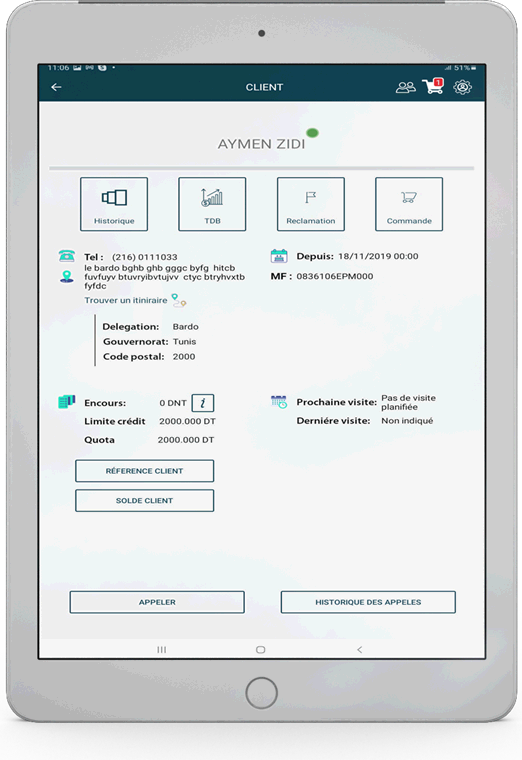
Outstanding balance, credit limit, remaining quota, last visit: the card says first of all what the account allows.
The whole account on one screen
Contact details, contacts classified by function, financial position, full history. The card follows the customer, not the filing cabinet.
Credit before the sales pitch
Credit limit, account balance, invoices not yet paid, remaining quota. The negotiation starts from what the customer can still buy, not from what we would like to sell them.
Every customer in their place
Reseller, customer or end consumer; natural or legal person. You define the categories, the application applies them. Contact details carry their GPS position, and the route opens straight from the card.
The full history, not a summary
- Current and past orders, quotes and invoices
- Complaints lodged and what came of them
- Phone calls, interactions, notes from the team
- Date of the last visit, date of the next
- Overall turnover, and turnover by item
Four shortcuts from the card
History, account dashboard, lodging a complaint, taking an order: you move from looking to acting without going back to the menu.
Twenty modules, switched on one by one
None is compulsory. You start with the ones that solve a known problem, and add the rest afterwards.
The customer 4
-
Customer cardThe whole account, in real time
-
CalendarCustomer appointments and tasks to be done
-
Phone callsA history kept on the card
-
InteractionsConversations with customers and prospects
The sale 5
-
Product catalogueMulti-price, promotions, barcodes, photos
-
QuotesGenerated as PDF, sent by email
-
OrdersMulti-level approval workflow
-
StockTrue levels, stock held per sales rep, alert thresholds
-
DeliveriesTracking of their customers' deliveries
The field report 5
-
SurveysProduct presence, satisfaction, hygiene, free-form questionnaire
-
ComplaintsClassified by type and nature, backed by photos
-
SuggestionsThe ideas fed back from the field
-
Market watchRecording and analysis of competitor prices
-
Production cycleCycles supervised at customer sites, livestock and crops
The sales rep 6
-
CollectionsOutstanding balances and payments, on every channel
-
Expense claimsScanned receipts, faster reimbursement
-
Vehicle fleetServicing, oil changes, fuel consumption
-
NewsInformation and events broadcast to the teams
-
FAQA reliable answer to the questions that keep coming back
-
Reports and dashboardsThe indicators decisions are made on
A declared visit is not a proven visit
The report is filled in during the visit, not from memory on Friday evening.
The round is prepared in the calendar: appointments, tasks to be done, notifications set in advance. An unplanned visit is still possible; the sales rep declares it on the spot.
Every report carries the start time, the duration, the GPS position, a free description and the photos taken during the visit. The target of the visit is configurable — what is to be checked, what is to be sold, what is to be recorded: each company sets its own. Head office has the report of customers not visited over any period it chooses.
The surveys are filled in at the same time
- Presence of items on the shelf
- Customer satisfaction
- Hygiene
- Free-form questionnaire, built by you, with the types of question and answer you choose
The right price, for that particular customer
The tree is yours: family, range, category, as many levels as you need, and categories reserved for one customer or for a group. The price follows the customer type, and a special price can be reserved for one specific account. VAT, packaging and units of measure — litre, kilogram, piece, box, man per day — are set in the same way.
The promotions cover the real cases from the field: by item, by category, by delegation, on the invoice, or free of charge above a given quantity. Every item carries its barcode, its description and its photos — you show the product instead of describing it. Competitors have their place too, and the record of their prices comes back with the round.
What the market asked for, and what was approved
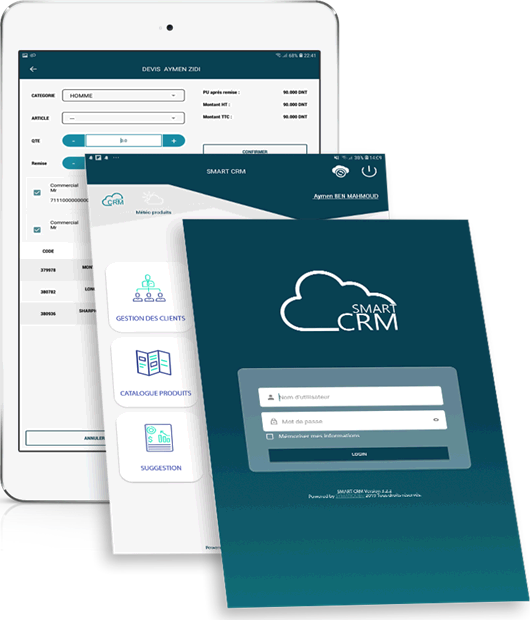
On the quote, the sales rep picks the category, the item, the quantity and the discount; the application shows the discounted unit price, the amount excluding tax and the amount including tax. The quote goes out as a PDF by email, and every version is archived.
The order goes through your own workflow — several levels, several criteria, all configurable — with a discount margin specific to each sales rep, and the true stock level, alert thresholds included. It is archived before modification: comparing what was asked for with what was approved gives the rate of service and the real demand of the market.
The complaint leaves the field, and reaches the right department
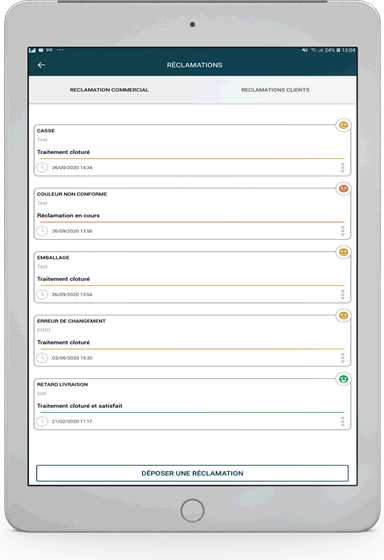
Breakages, damaged packaging, wrong colour, late delivery: whatever goes wrong is reported on the spot.
Complaints and suggestions are classified by type and by nature, and the natures are configured by category: customer, item, delivery, invoice. One or more photos can be attached — damaged packaging is better seen than described.
You choose who sees them in the back office and which addresses are notified, in real time, at every new entry. The sales rep lodges a complaint in their own name or in the customer's: the application tells the two apart, and every case carries its status — in progress, handling closed, closed and satisfied.
Suggestions follow the same path. An idea picked up on a visit does not stay in a notebook.
The sales rep tracks their targets, management tracks its market
The same data, read in four different places. Nobody waits for the monthly review.
The sales rep has their own dashboards in the application: overview, by item category, by item, by customer. They track their indicators against the targets set by their management in real time, not at the end of the quarter. The history brings out trends, and each person highlights what matters to them.
The same movement serves three other functions. Marketing consolidates the field data and knows where its prospects go. Management sees current business as it happens and anticipates corrective action instead of suffering it. The customer, for their part, gets daily follow-up and fewer delivery errors.
- 4dashboard views: overview, category, item, customer
- 3functions served by the same data
- 1single entry, in the field, in front of the customer
The network drops, the round carries on
The network is often missing where the customers are. The application does not stop for that.
Smart CRM works online and offline alike. Looking up accounts, taking orders and writing the visit report all carry on with no network; the data goes up as soon as the connection comes back.
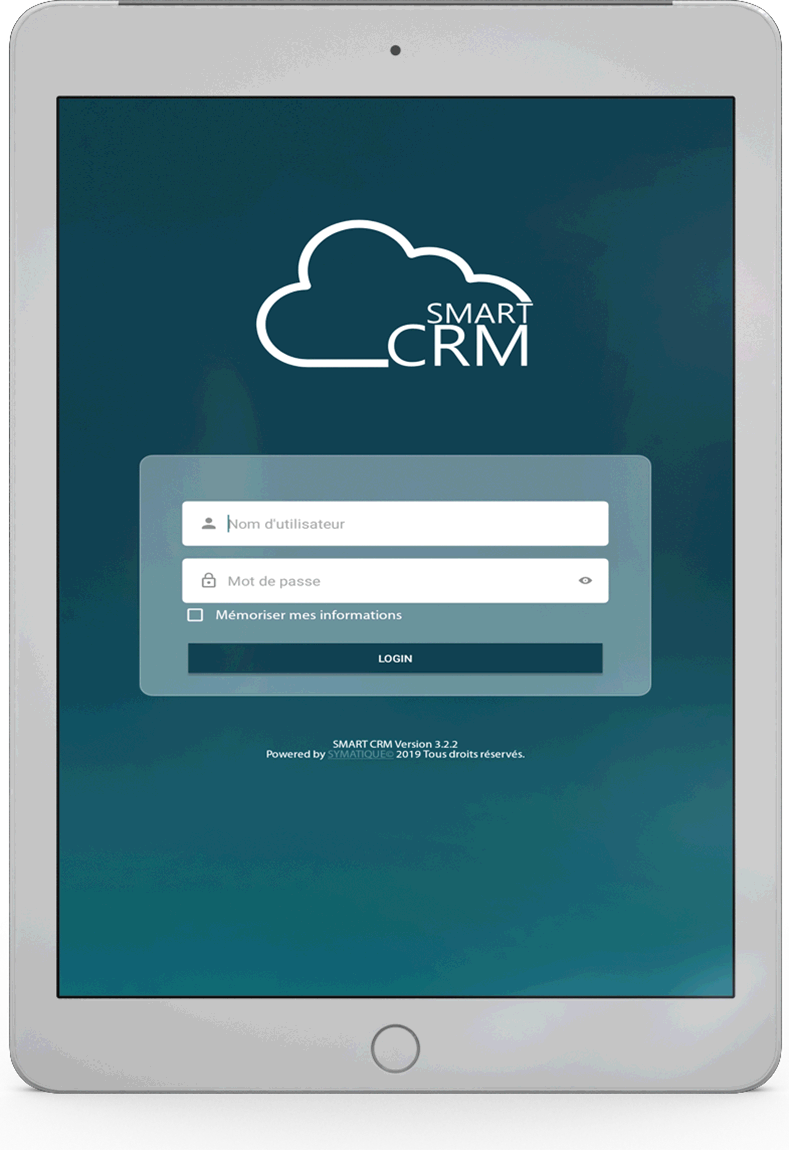
The interface is touch-based, designed for the tablet and for use standing up, at the point of sale. It runs on Android and from a web browser. Each sales rep has their own account, their own portfolio of customers, and their credentials remembered if they wish.
The application is connected to the Smart SALES back office, where the master data, the approval workflows and the consolidation are kept — and through which exchanges with your management system pass.
What people ask us about the application
Yes. The sales rep looks up customers, takes orders and writes visit reports with no network. The data goes up to the back office as soon as the connection comes back.
On Android tablets and smartphones, and from a web browser. The touch interface is designed for use standing up, at the point of sale.
Smart CRM is the application the sales rep holds in their hand during the visit. Smart SALES is the web platform that drives it: master data, business rules, consolidation.
Yes. Customer categories, promotions, approval workflows, visit targets, the nature of complaints, collection channels: all of it is configurable. The application follows your rules.
It stays in place. Customers, items, prices and stock levels are exchanged with it through the Smart SALES platform.
A real round, not a slide deck
We replay a visit using your own customer categories, your prices and your discount rules. Forty-five minutes, no commitment.
- A reply within one working day
- A technical contact, not a salesperson
- Your data is used only to reply to you